When people ask me if they're paying for anything twice, they expect me to find the same app billed two times. That almost never happens.
What happens is quieter. You're paying for three or four tools that each do a little of the same job, and you're using a fraction of each one.
I had a client recently paying for Mailchimp and Constant Contact at the same time. Two email marketing tools, packed with the same features, both billing every month.
That's where most of the overspend lives. You pay for a pile of features you don't need to get the few you do.
What a Typical Stack Actually Costs
On a Systems Workshop last week, a speaker walked me through the numbers he'd run on his own. About $1,400 a year for his CRM. About $3,700 for email marketing. Roughly $3,000 for accounting.
Then his Microsoft licenses, which he couldn't put a number on at all.
That's about $8,000 a year before Microsoft. And the money wasn't even his biggest complaint.
His coach had helped him list every job he does in his business. He counted 11. One of them was IT. Every time one of his disconnected tools broke or needed an update, he was the one fixing it.
Sound familiar? That's the real bill. Part of it shows up on your card statement. The rest shows up on your calendar.
Where the Money Hides
After enough of these conversations, the same five things show up almost every time.
Old accounts nobody cancelled. The scheduling tool you tried for one launch. The course platform you moved off of two years ago. Still billing.
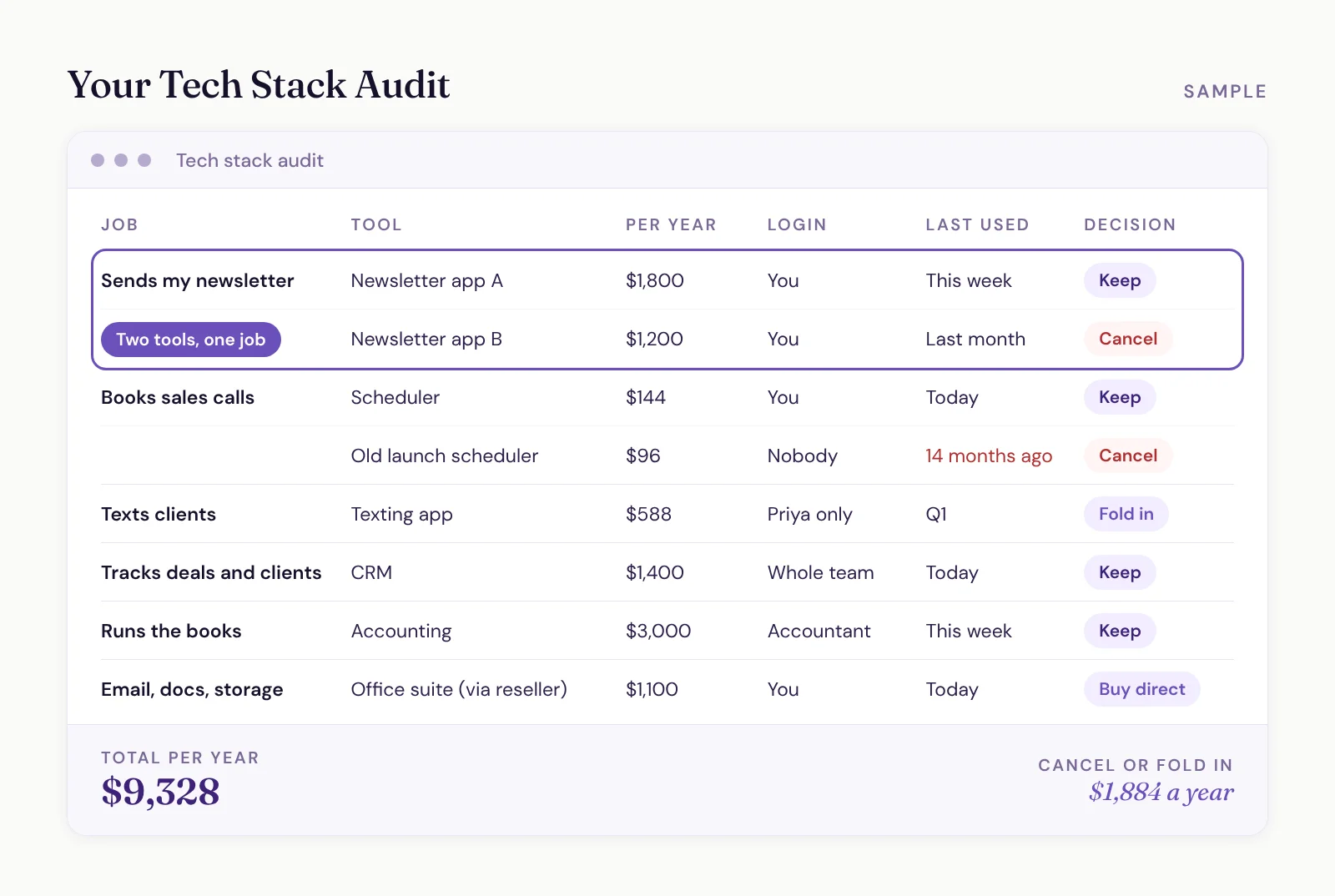
Two tools doing one job. Email tools, form builders and schedulers are the usual suspects. Each one comes loaded with features you don't use, and the overlap is the part you're paying for twice.
A reseller in the middle. That same speaker bought his website through a hosting company 14 years ago, and that company had been sitting between him and Microsoft ever since. He was paying more and getting less. When his team ran out of cloud storage, they couldn't even buy more through the middleman. Untangling it took one of his team members a whole summer.
Email tools priced by contact. Most email marketing tools charge by list size, so every contact you add raises the bill, whether they open your emails or not.
A tool behind a login only one person uses. One client was paying $49 a month for 1,000 texts on a separate texting app. They used it mostly in one quarter, and only one person on the team ever logged in, because nobody else wanted another tab open. Their CRM's built-in texting came out to fractions of a penny per text.
How to Run a Tech Stack Audit
When someone comes to us, they list every tool they use in our assessment, or we walk through the list together on a Systems Workshop. Then we look at what overlaps and what can go.
You can run the same audit yourself in an afternoon. The path of least resistance starts with your card statements.
Export the last year of card statements. Every card the business pays bills with.
Hand them to your favorite AI tool. Ask it to find every recurring bill across the whole business. It'll catch the old accounts nobody cancelled, the ones that never make a list you write from memory.
Label each one: software subscription or something else. Set aside everything that isn't software.
Write down the job each tool does, in plain words. "Sends my newsletter." "Books sales calls." "Collects feedback after a talk."
Put the annual cost next to each one, plus who holds the login.
Circle every job with more than one tool on it. That's your overlap.
Mark anything nobody's opened in months. If one person uses it once a quarter, mark that too.
Check who you're actually paying. If a reseller bills you for software, find out what buying direct would cost.
Total it, then decide each row: cancel it, keep it or fold it into something you already pay for.
One warning before you start cancelling. Don't shut off the old tool the second you move. When we migrate clients, they keep the old login until their data is out and the new setup is working, and only then does the subscription get shut down.
The Cost That Isn't on Your Statement
The bill is the smallest part of what your tools cost you.
The bigger cost is that you're the one setting them up. Most people don't have the time, the interest or the know-how to set a tool up properly, let alone get their whole team using it. So you never get the full value out of it, and you've spent your own hours anyway. That's a big part of why so many CRMs end up half-used while the real work lives in spreadsheets.
Then there's re-entering the same contact in three places and keeping 20 tabs open just to get through a Tuesday.
But the cost I see hold people back the most is the tool you don't buy.
Say a proper form builder would really help you. You'd get notified the second someone submits, and you could build quizzes and assessments that bring in leads. But it's one more subscription, so you skip it and keep doing things the slow way.
That's a big reason we build our clients' systems on Zoho One. It works like an operating system for your business: 65-plus apps, and you can generally add the ones you need without your monthly bill going up. There are a few exceptions, like its course platform, but for the most part the form builder is already there when you need it.
Will Consolidating Actually Save You Money?
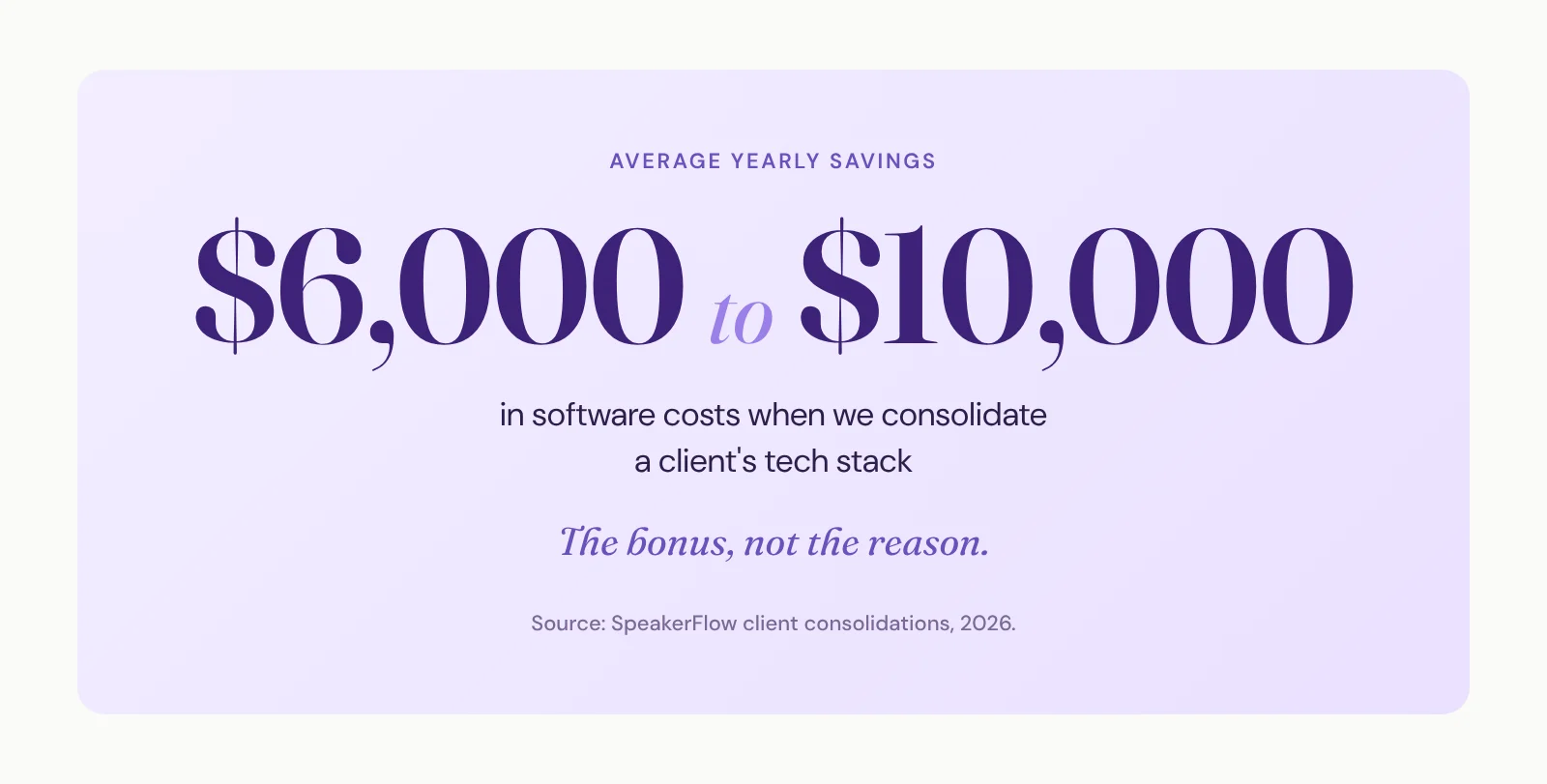
Usually, yes. On average, we find $6,000 to $10,000 a year in savings with our clients.
And the bigger payoff shows up in revenue. In our 2026 State of the Industry report, thought leaders with a disjointed back office averaged $167K in revenue. Those with a fully integrated one averaged $453K. Software savings don't explain that gap. A back office that actually runs does.
I'll level with you, though. Saving money isn't the reason to consolidate.
Think about hiring a web developer. You don't hire them to lower your website platform bill. You hire them to build a site that works, so you can get on with your life. If the platform bill goes down too, great.
It's the same thing with your back end. You're paying for the implementation, the part where someone sets it up properly and gets it running. That's what implementation actually buys you. The tools you get to cancel along the way are a bonus.
One speaker I talked to had already cut a few tools on his own before we spoke again. His savings from switching got smaller. He told me the value had gotten clearer anyway, because the friction was what was wearing on him.